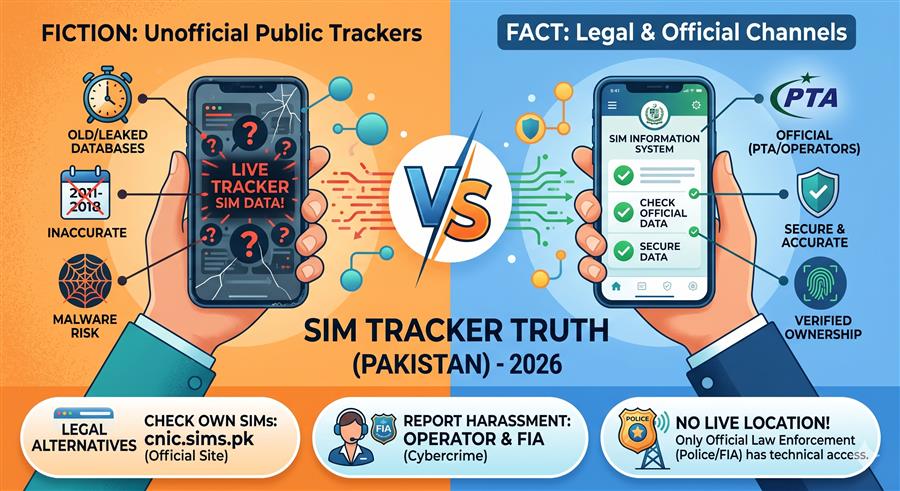
Comprehensive Guide to Pak SIM Data & Registration Database Online
In Pakistan's digital telecom space, having access to quick and reliable Pak SIM data is a basic requirement for personal security, identity verification, and fraud prevention. The Pakistan Telecommunication Authority (PTA), in cooperation with mobile operators and the National Database and Registration Authority (NADRA), maintains a structured database linking all active numbers to their respective owners' Computerized National Identity Cards (CNICs). In this guide, we cover the methods to check Pak SIM data online, operator USSD codes, PTA guidelines, and steps to protect your personal identity.
What is Pak SIM Data?
Pak SIM data refers to the registration data associated with a specific mobile number or identity card in Pakistan. When a connection is activated, the telecom database records the owner's legal name, CNIC number, residential address, network operator, and activation timestamp. Access to basic Pak SIM data is essential for verifying unknown callers, auditing personal registration counts, and ensuring that no unauthorized numbers are registered against your CNIC.
Why Pak SIM Data Verification Matters
With mobile wallets (JazzCash, Easypaisa), mobile banking apps, and online government portals, your phone number acts as your primary digital signature. If a criminal registers a SIM card using your identity, they can access your financial accounts, send spam, or make extortion calls. Under the Prevention of Electronic Crimes Act (PECA) 2016, the registered owner of a SIM card is legally responsible for its usage. Checking your Pak SIM data regularly ensures that only your authorized connections are active.
PTA SIM Limits per CNIC
To prevent fraud and security issues, the PTA limits the number of active SIM cards per citizen:
- Voice Connections: A maximum of 5 active voice SIM cards can be registered against one CNIC across all operators.
- Data Connections: In addition to voice SIMs, users can register up to 3 data-only SIM cards (used for broadband routers and dongles) against their CNIC.
This brings the total limit to 8 active SIM cards per CNIC. Note that this cap applies to individual consumers. Registered businesses, government offices, and companies can obtain corporate connections that are verified under different business verification processes.
Direct USSD Codes to Check Your Handset SIM Details
If you have an active SIM card and want to retrieve its phone number, registration info, or account balance, you can dial these direct USSD codes from your mobile phone:
| Telecom Network | Direct Number Check Code | Direct Ownership Code | Helpline Number |
|---|---|---|---|
| Jazz (Mobilink) | Dial *99# | SMS blank/MNP to 667 | 111 |
| Telenor | Dial *8888# | SMS blank/MNP to 667 | 345 |
| Zong (China Mobile) | Dial *8# | SMS "V" to 7911 | 310 |
| Ufone (PTCL) | Dial *336# | SMS blank/MNP to 667 | 333 |
| SCOM (AJK & Gilgit) | Dial *311# | SMS CNIC to 668 | 111-726-726 |
How to Do a Quick Pak SIM Data Lookup (Step-by-Step Guide)
The SimOwner online check tool is designed to provide a fast, easy, and secure check of SIM registration data. Here is the step-by-step process:
Security Best Practices to Prevent Personal Data Leaks
Preventing unauthorized SIM registration is much easier than dealing with its consequences. Follow these practices to protect your identity:
- Avoid Sharing CNIC Photocopies Unsecured: Whenever you submit a CNIC photocopy for official use, draw diagonal lines across the photocopy and write the specific purpose (e.g., "For internet connection only"). This prevents the photocopy from being reused for SIM activation.
- Use Biometric Scanners with Caution: Never place your finger on a biometric reader at local shops or unverified promotional setups unless you are explicitly initiating a service you trust. Fraudulent agents can capture thumbprints to activate fake SIM cards.
- Report Lost Documents Immediately: If you lose your CNIC or it is stolen, register a police report (FIR) immediately. The FIR acts as your legal protection in case any illegal numbers are activated before your lost card is officially blocked by NADRA.
- Verify Regularly: Audit your CNIC SIM count every 3 to 6 months using the SimOwner online check tool or the official 668 SMS query.
Dealing with Spam Calls, Extortion, and Online Harassment
If you receive spam, fake prize messages, or threatening calls on your number, you should take immediate action. PTA and FIA provide active channels to report telecom fraud:
- Report Spam Calls to PTA: You can report spam or promotional messages to PTA by registering your number in the "Do Not Call Register" (DNCR). SMS
regto 3627. - Report Threatening Calls: For threatening calls or blackmailing, submit a complaint to the FIA Cybercrime wing online or call their dedicated hotline at 9911.
- Block the Caller: Use your handset's built-in block feature or install reliable caller ID applications to filter spam numbers.
If you discover that your own CNIC has unrecognized numbers, go to the nearest operator franchise with your original CNIC and request immediate de-registration via biometric scan.